Showing posts with label google advanced operators. Show all posts

Wednesday, 22 June 2011

How to find any song on google

Sometimes we spend countless hours on the internet looking for one song or the other without any success. Today i am going to show you how to find any song, be it videos or audios using that i introduced last week as google advanced operators. If you missed it click here to read it now.

Google advanced operators are advanced tools created by google for advanced searches. So only the privileged few that know about it use it. But today you are going to be privileged as well, remember to contribute to this post below.

Back to the main topic of discussion, to find any song on the internet, you need to understand some few things i'll mention here. Audio music end with different extensions from video musics. The different audio extensions known includes mp3, wma, aac, mp2 even etc while those of video includes flv, 3gp, avi etc so having understood thes extensions you have to decide which extension you will want the music to be before searching it, i will use mp3 mostly if i were you because most music are recorded on the extension for audios and most music devices play this format.


To easily search for any mp3 song on the internet sinply enter the following string into google search bar:
-inurl:htm -inurl:html intitle:”index of” “Last modified” mp3
You remember the inurl operator? now we are putting it to work. This will yield results of most recently modified directories with mp3s in them.

Now lets be more specific, search with this:
-inurl:htm -inurl:html intitle:”index of” mp3 “2face”
this will yield results of 2face songs or albums.
intitle:index.of + “mp3″ + “band name” -htm -html -php -asp
Simply replace the band name with the name of the artist/song name you are searching for, like
intitle:index.of + “mp3″ + “wiz kid” -htm -html -php -asp
will give you results with wiz kid's songs whereever they are listed on the internet.

Now apply the same thing to videos, simply replace the extensions and artist or song names and start downloading music easily.

Friday, 17 June 2011

Google advanced operators

Google is the biggest search engine on the internet, but there are more to it than just search for simple strings, google can be quite useful if you master its advanced operators. You can easily find anything on the internet using this advanced operators. Imagine searching for one thing all day when a simple operator can give it to you in an instant.

So i am going to teach you the googleadvanced operators. Even google called it the cheat sheet.....lolz. I will take sometime to explain the operators for your better understanding. You can use google advanced operators to find hidden things on the internet like passwords, creditcards, music, movies etc.

I am not teaching you this to use it wrongly, endeavour to use it well. Now without wasting much of our time, here comes the operators.

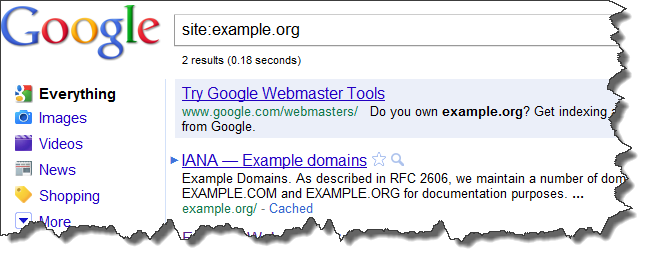
1. Site:

Example, [site:nairahub.com]

Limits a search to that specific site. The Site operator limits your search to a particular site, for example the other day i knew i've posted proxier key somewhere on my forum but couldn't locate its exact position, all i needed to do was open google.com and type in site:nairahub.com/forum proxifier key and there it was in the search results. So with the site operator you can limit your search to just a website.

2. Cache:

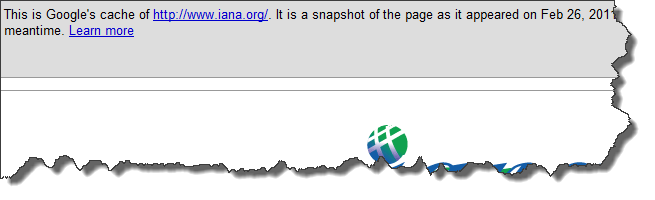
Example: [cache:www.nairahub.com]

This query gives us the latest version of the page acquired by spiders and the date of the visit.

3) Related:

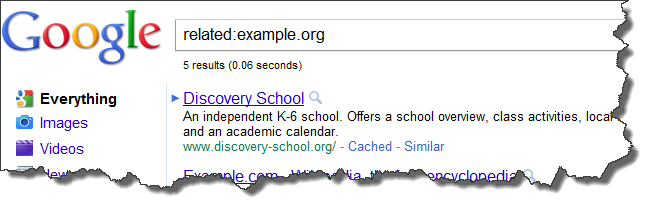
Example: [related:mavtrevor.com]

In theory this query tells you which sites seem related to the same topics as ours.
Google finds related pages by a form of link triangulation, asking "pages that link to this page you're asking about also link to…". This makes the query not just useful to find topically related pages but to identify hubs, authorities, and link networks.

4. Allintitle:

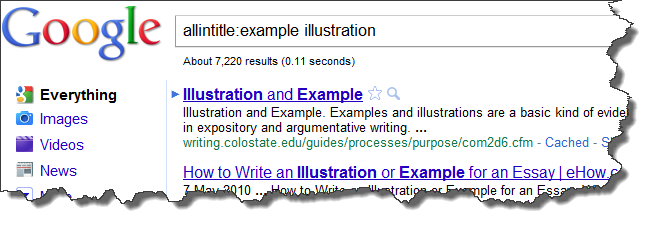
Example: [allintitle:example illustration]

Same as typing [intitle:] before each word.

This tells us how many Google results have both keyword1 and keyword2 in the < title >. May be useful to understand the difficulty degree of a keyphrase. Is it more difficult to target "zombie mask" or "werewolf mask"? Knowing how many documents show the terms in the Title, we can gouge the level of competition.

5. Allinanchor:

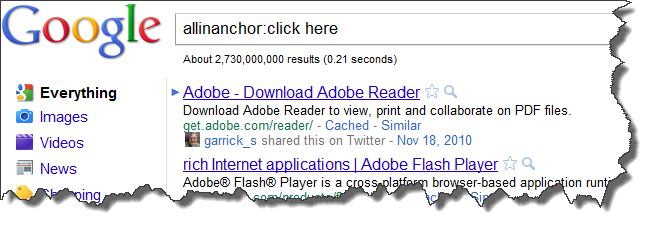
Example: [allinanchor:click here]

This one tells you which pages have inbound links with the anchor text containing all searched terms. Is my keyword object of intense link building? Who ranks for my anchor text?Why?

6. Allinurl:

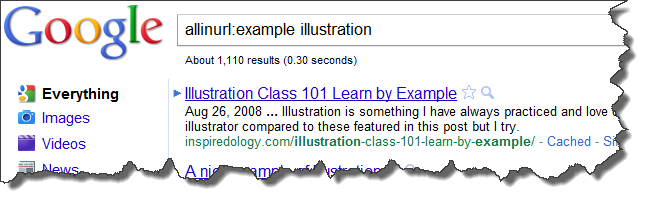
Example, [allinurl:example illustration]

This tells us how many results contain all the search terms in the URL. Can provide another view on the competition.

So far i have published this ones to start on this topic, watch this space for more on this topic.

ads

Mavtrevorsblog